
Everything Vireo does
Everything here is in the free plugin on WordPress.org, except the Pro section at the end, which adds revenue, goals and client dashboards for sites that sell.
Import your history
Your charts keep going from the tool you used before, so you don’t start again on the day you switch.
- Imports from 9 tools: Google Analytics 4, Jetpack Stats, Koko Analytics, Statify, WP Statistics, Burst Statistics, Independent Analytics, SlimStat Analytics, Plausible Analytics
- Daily traffic, pages, referrers, countries and devices, plus whatever else each source kept
- Imports run in batches you can watch and stop the day before Vireo’s own data begins, so no day is counted twice
- A Year in review for any year with data, including the history you imported
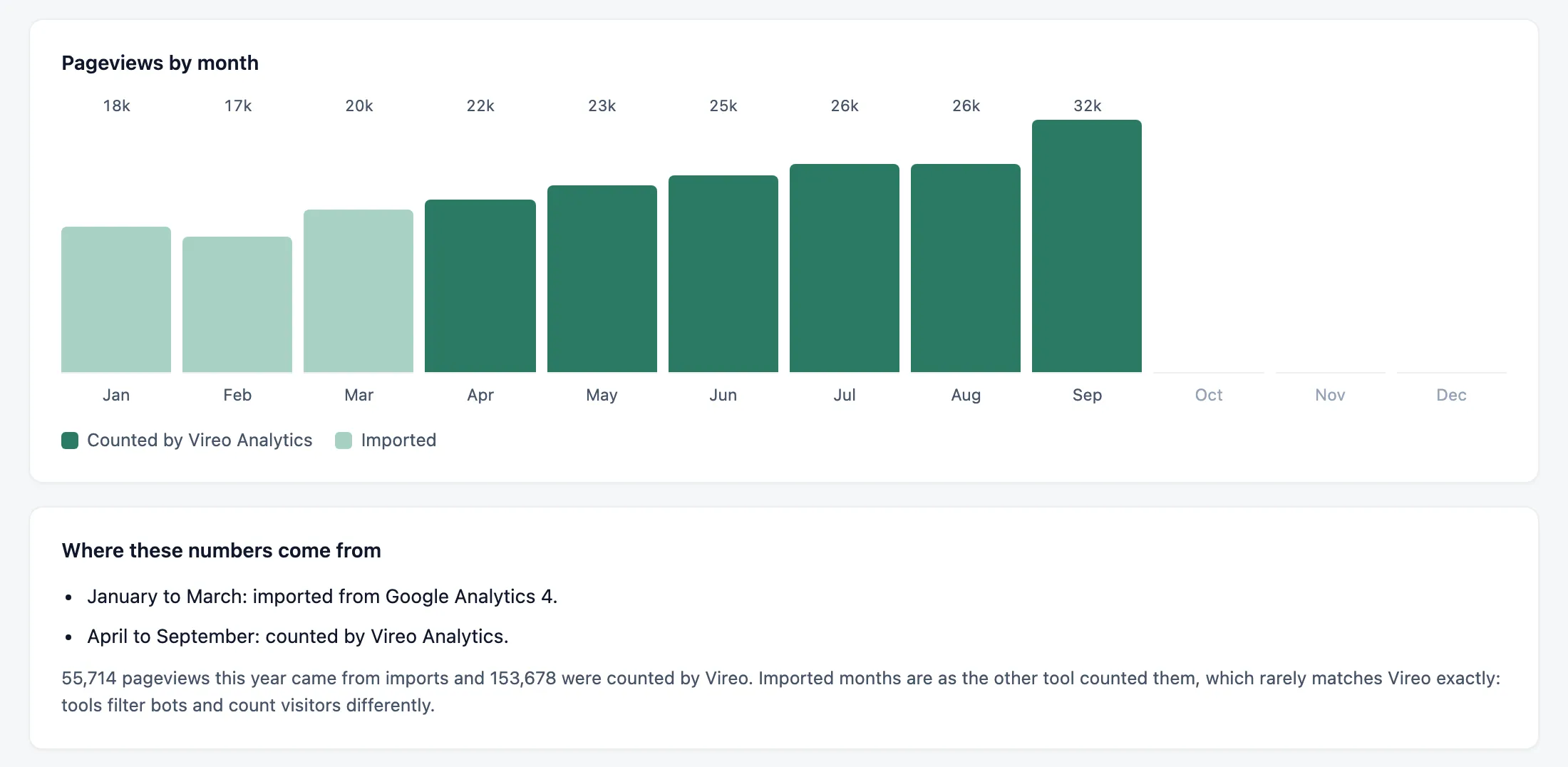
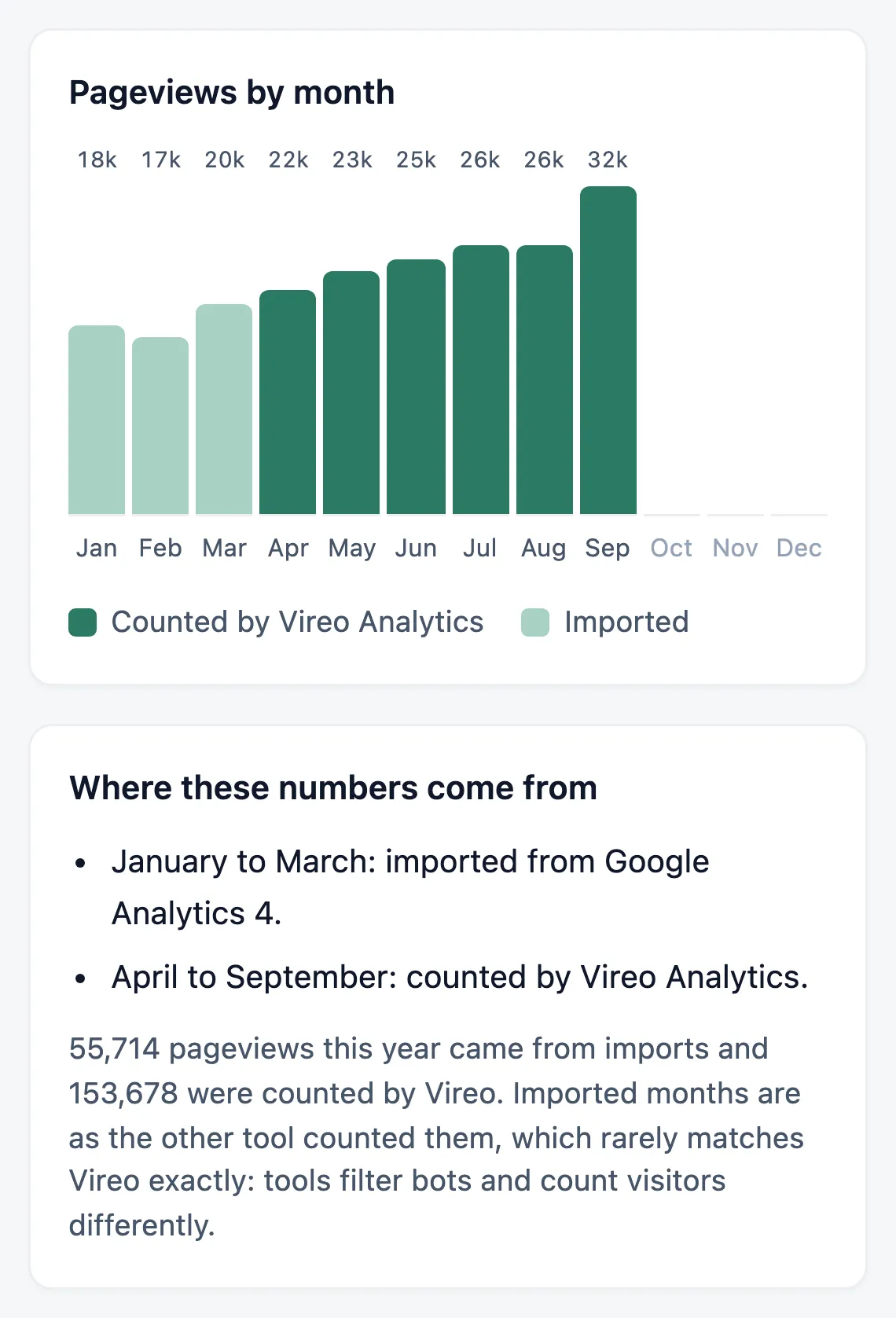
- January to March came across from Google Analytics 4, drawn lighter.
- From April, Vireo counted the visits itself.
- Every chart says where its numbers came from.
The Google searches behind each post
Connect Search Console once and every post’s stats screen lists the searches it appeared for.
- Clicks, impressions and average position for each search
- The Overview shows the landing page beside each search
- Syncs daily, and can fetch the last 90 days when you connect
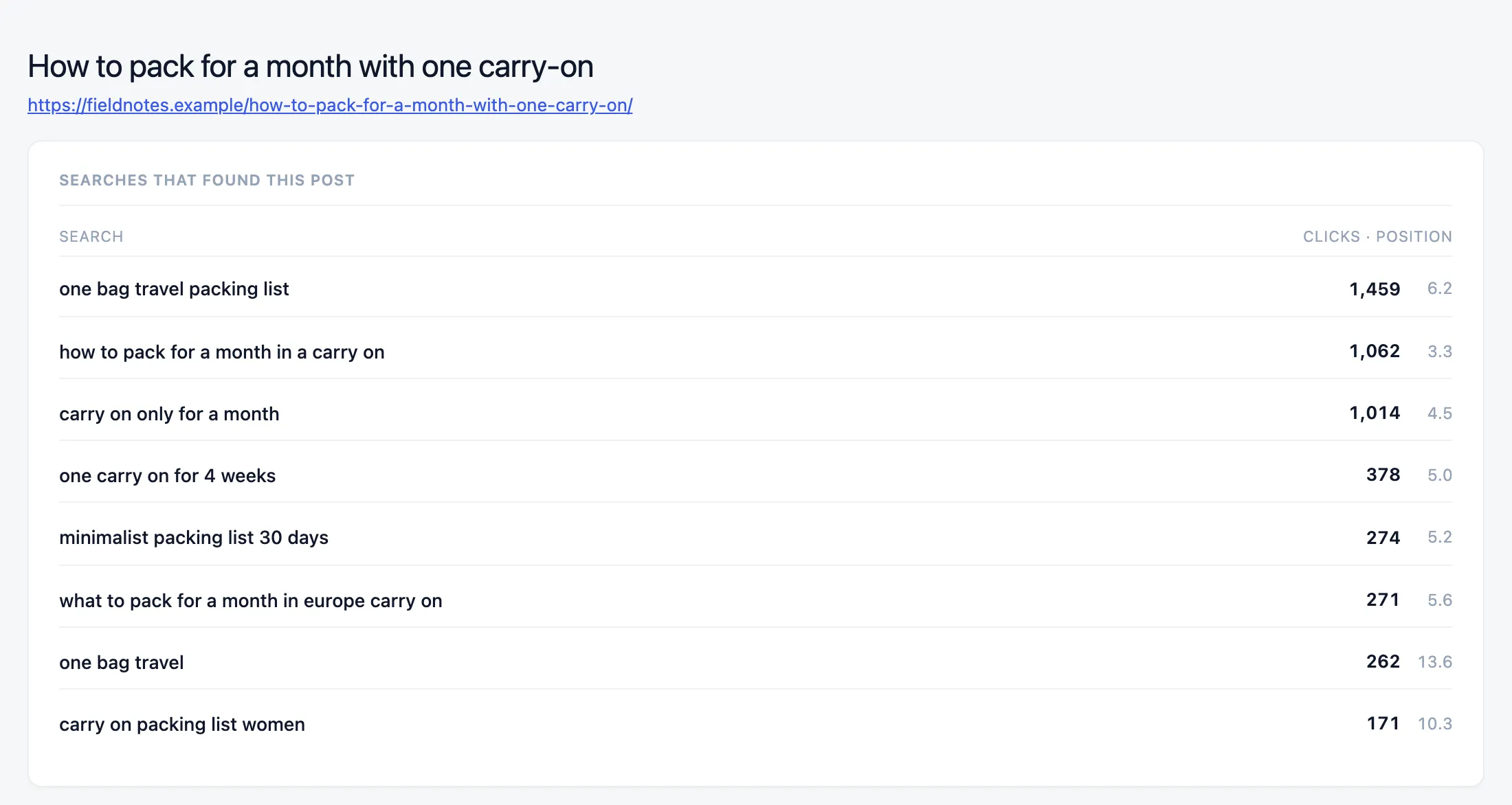
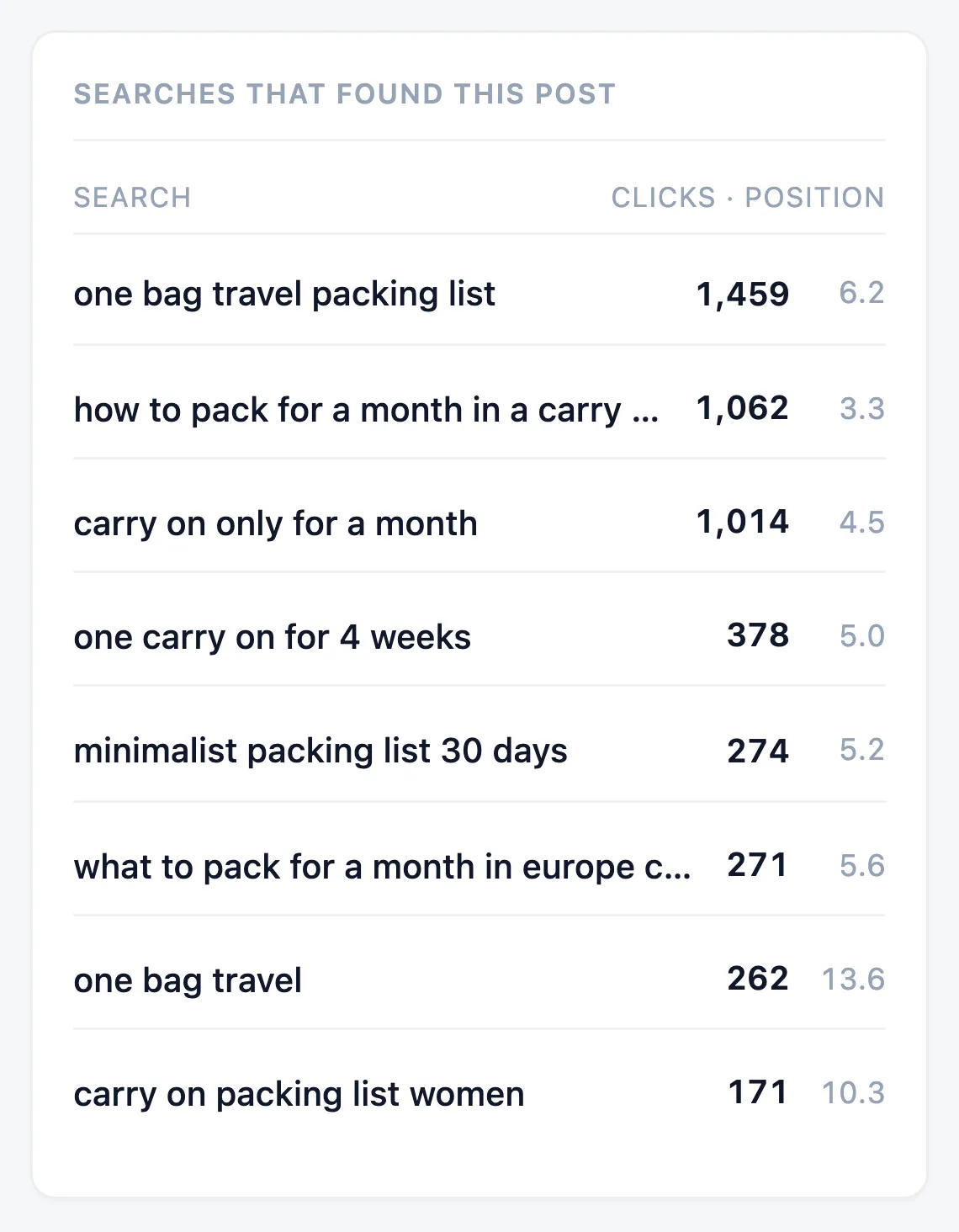
- Each search the post appeared for, with its clicks and average position.
- Page two and already getting clicks: the one to update next.
AI crawlers, and the readers AI sends you
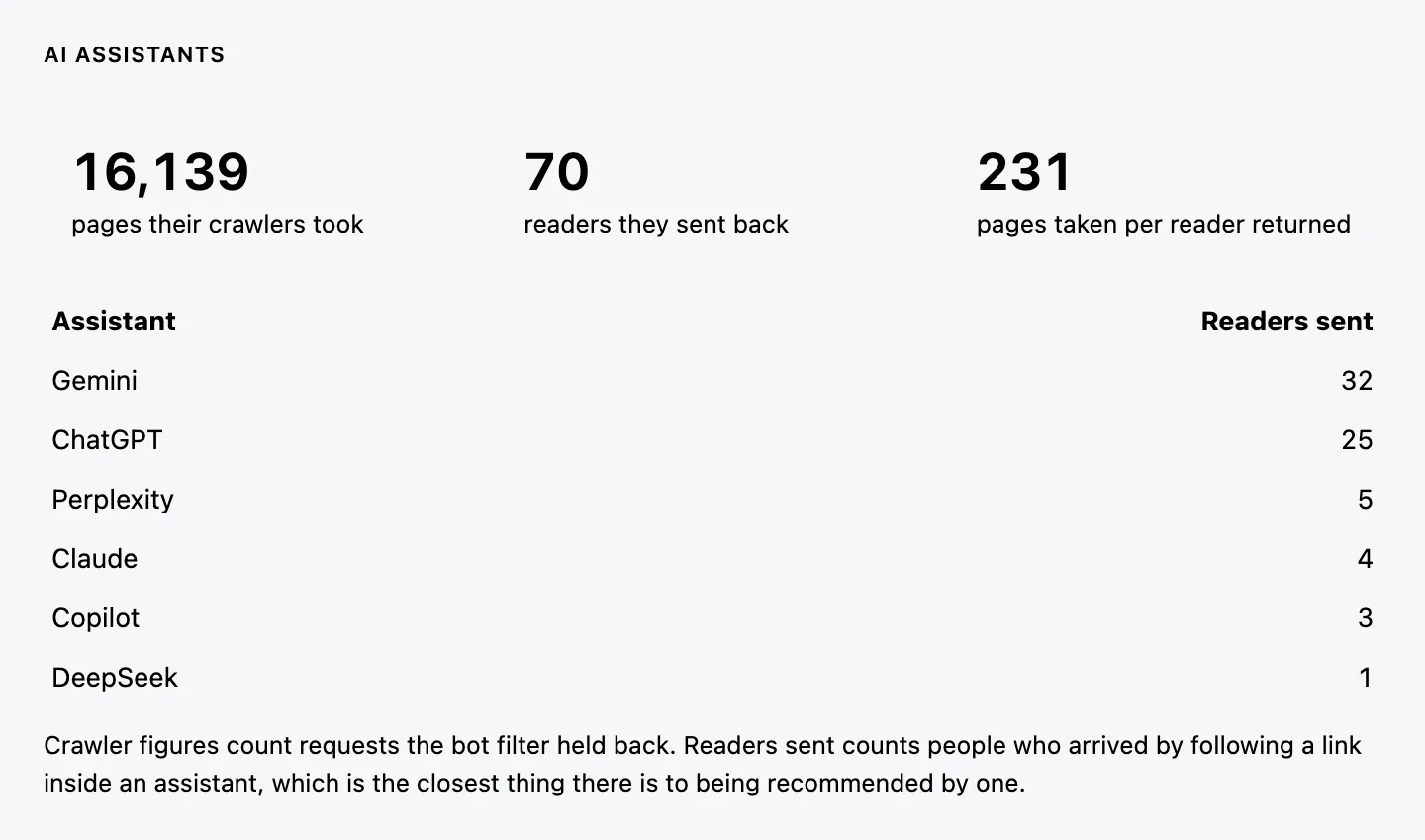
ChatGPT, Claude, Gemini, Perplexity and Copilot are their own traffic source, shown next to the pages their crawlers fetched.
- Pages taken by AI crawlers, readers sent back, and the ratio between them
- Works on the history you’ve already collected
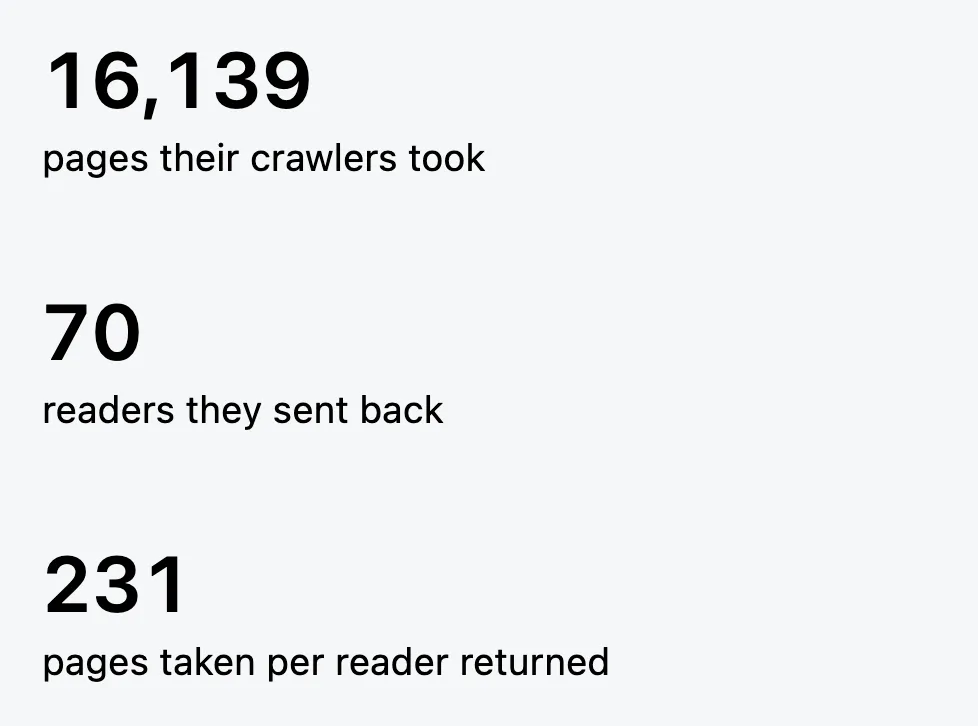
- Pages AI crawlers took.
- Readers AI assistants sent back.
- Pages taken for every reader returned.
The AI assistants card on jeangalea.com, 14 September to 6 October 2026.
800+ bots kept out of your numbers
Crawlers, SEO tools, uptime monitors and headless browsers are left out, and Vireo reports how many it excluded and which kind sent them.
- Automated browsers that claim to be Chrome are caught by the flags automation tools set on themselves
- Prefetched pages nobody looked at aren’t counted
- A bot filter test in Settings: paste any user agent and see how it’s classed

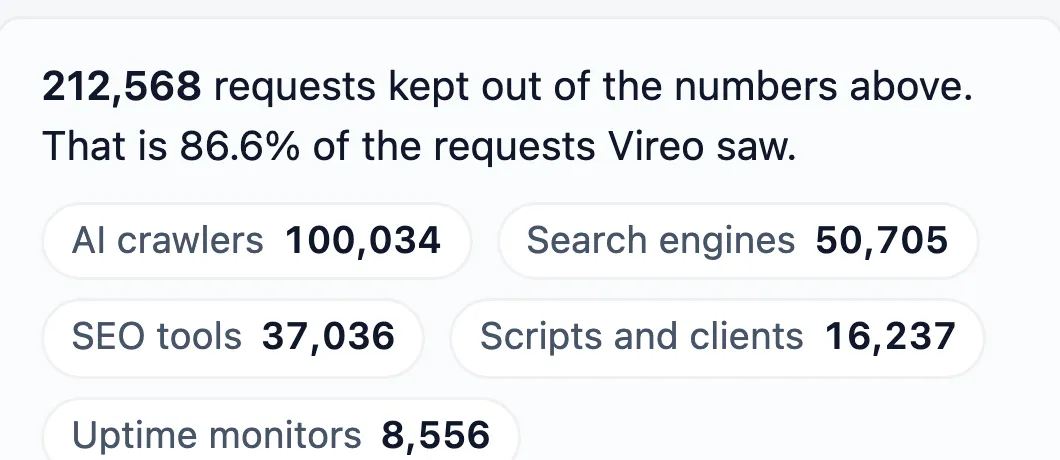
- How many requests it kept out, and the share of all it saw.
- The same requests, by kind of bot.
Reports that start with what changed
The Overview opens with how traffic moved since the previous period and the pages and sources behind it.
- Top pages, referrers grouped by how people arrived, countries and devices, with filters for each
- Core Web Vitals from your real visitors, graded at the 75th percentile the way Google grades them
- Notes pinned to a date, so a spike keeps its explanation
- Custom events for clicks and form submissions, and 404 tracking to find broken links
- A Popular posts block, shortcode and widget built on real, bot-filtered views, and a views column on the Posts screen
- A weekly email digest, and CSV export of any view
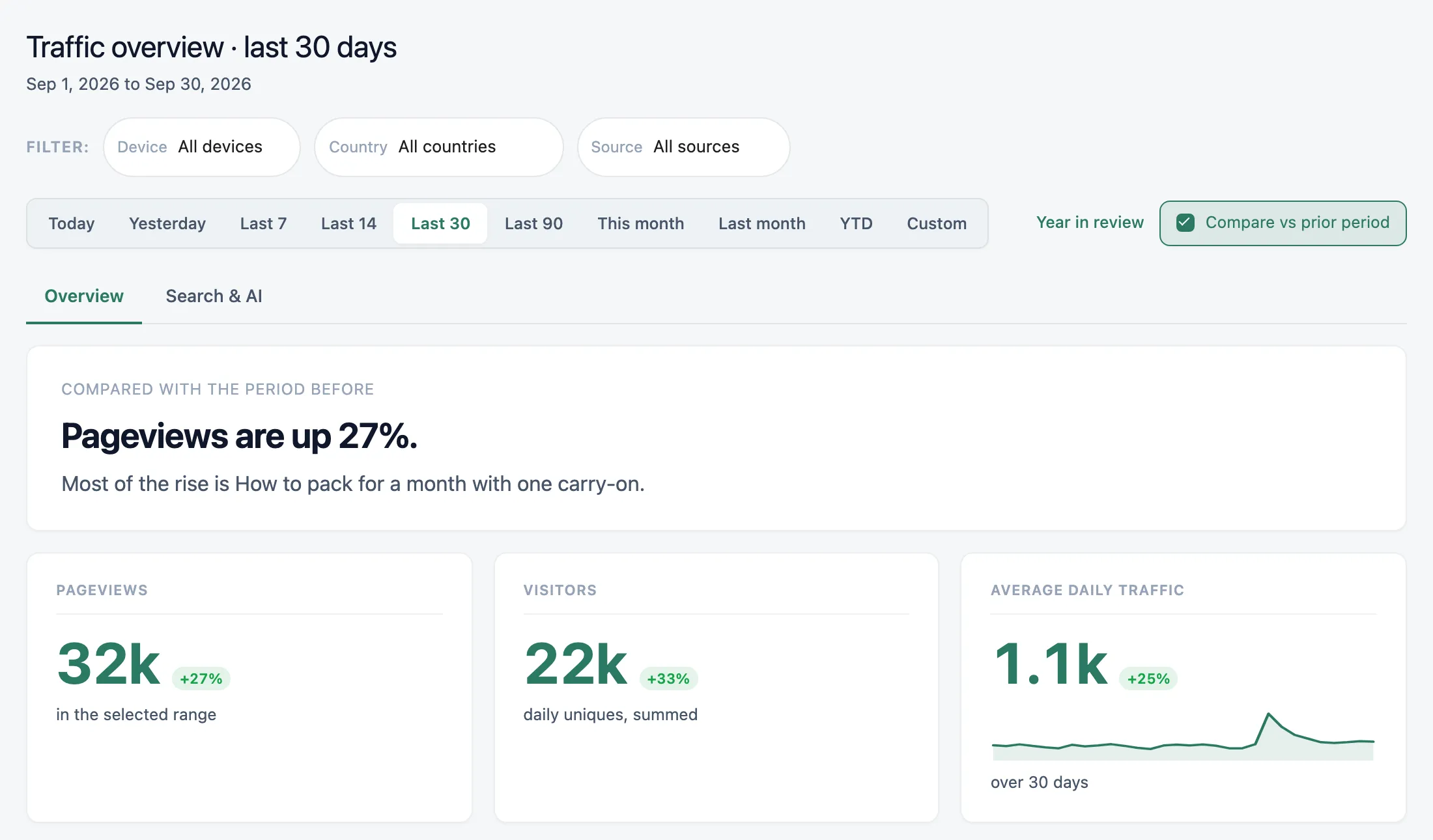
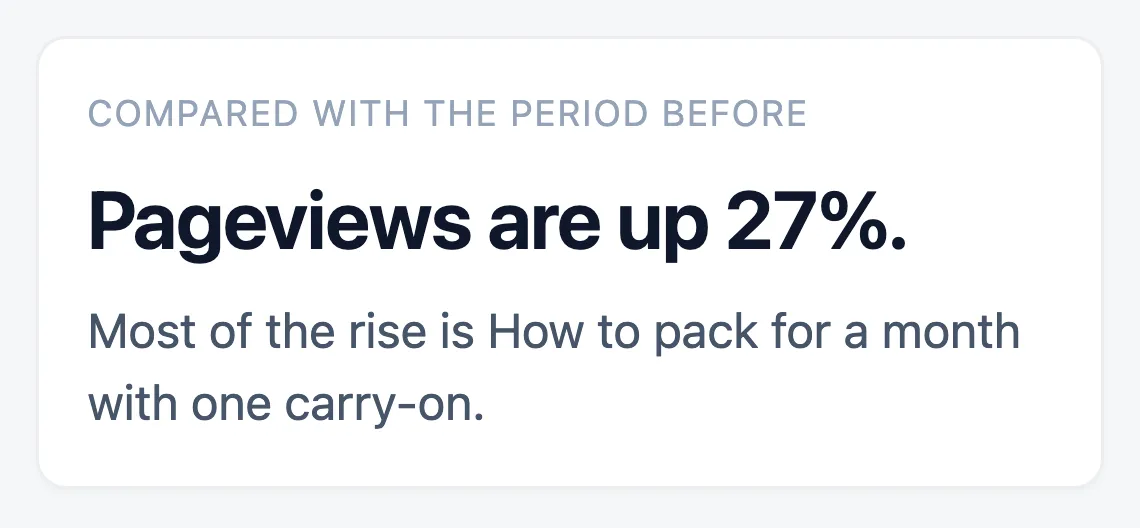
- The change since the period before, and the post behind it.
- Every figure compared with the period before.
Privacy, speed and the rest
- No cookies
- Nothing is stored on visitors’ devices. Visitors are counted with a salted hash that changes every day, and Do Not Track and Global Privacy Control are honoured without a setting. More
- Light on every page view
- One small script in the footer, a fast endpoint that skips your other plugins, and database writes once a minute instead of on each view. More
- Headless front ends
- Count visits to the Astro, Next.js or other front end that shows your WordPress content, matched to the right post. Free for one front end. More
- Connected sites
- Count a static site, docs site or landing page in the same dashboard, with a site selector on the Overview. One connected site is free. More
- Multisite
- Network activation sets up every site, and network admins get one view of every site’s totals. More
- Access for editors and clients
- Give any role read-only access to the dashboard without making them administrators.
- A warning if recording stops
- Site Health warns you if Vireo stops recording visits, so a broken setup doesn’t look like a quiet week.
- In nine languages
- German, Spanish, French, Italian, Japanese, Dutch, Portuguese (Portugal and Brazil) and Russian, as well as English.
- A REST API
- Read-only endpoints for totals, daily stats, top pages, referrers, countries, devices, events and per-post stats.
Pro: see which pages and visitors make you money
Pro runs on top of the free plugin. It traces each sale to the page and source that brought the buyer, counts goals, and gives clients their own dashboard.
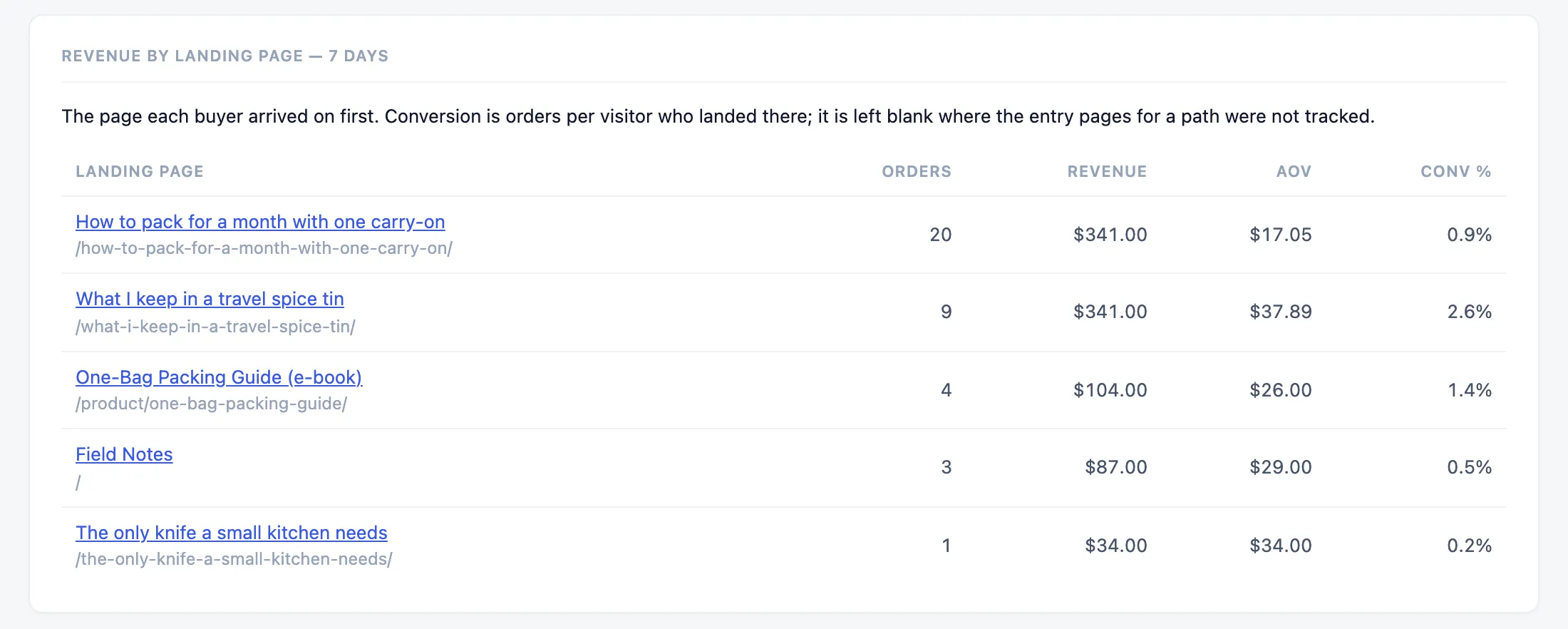
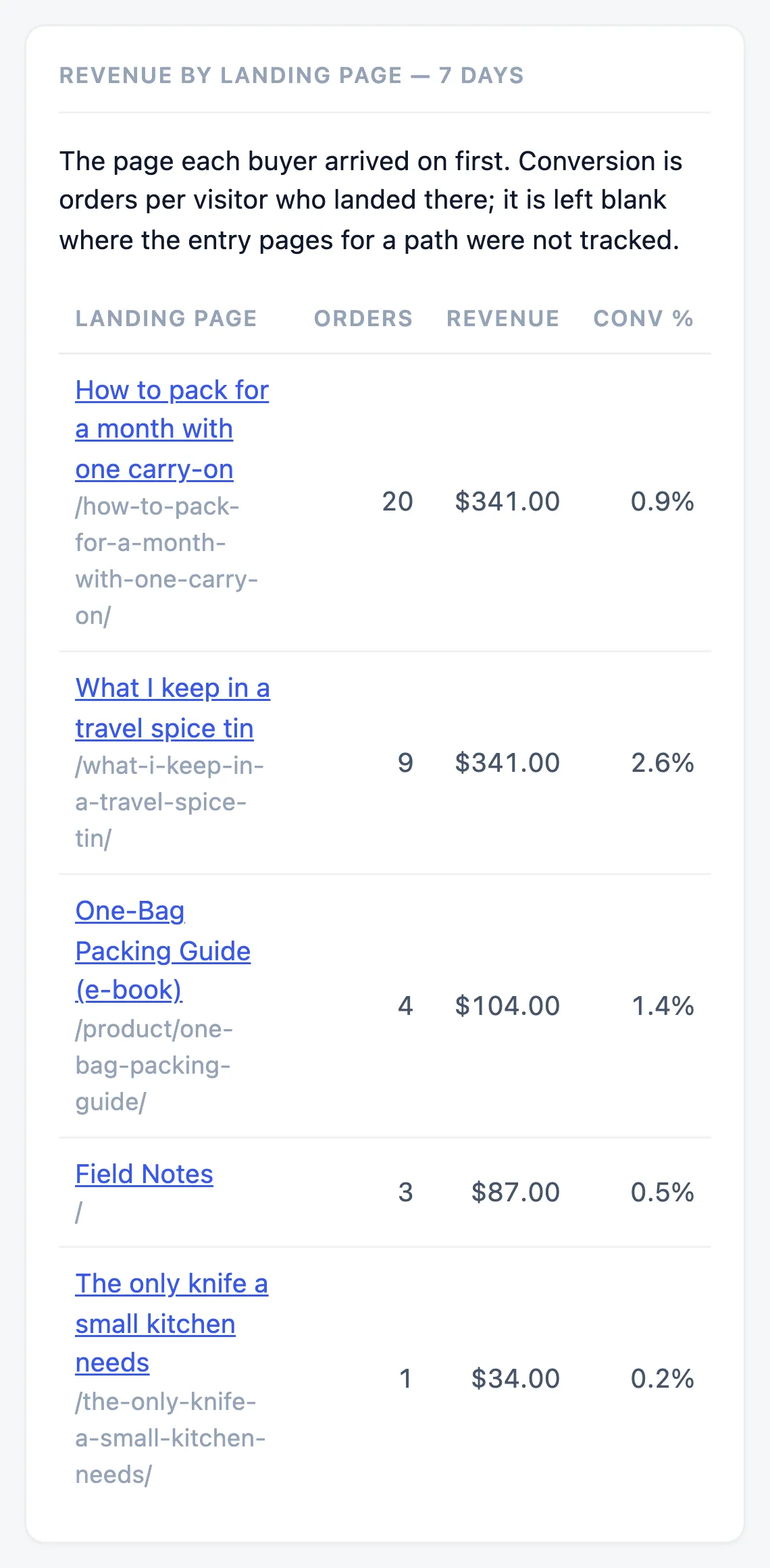
Revenue by landing page in Vireo Pro, on a demo store.
Sales and sign-ups
- Revenue from WooCommerce, Easy Digital Downloads, FluentCart and Freemius, traced to the page and source that brought each buyer
- Goals and funnels
- UTM campaign, outbound-click and search-term tracking
Clients
- Shareable read-only dashboards, with expiry and password
- Connected sites counted under their own name
- A weekly email that explains what changed, written by your own AI provider
Deeper reports
- Real-time visitors and a live dashboard
- Entry and exit pages, and page transitions
- Reports per author, post type and taxonomy
- City and region breakdowns, engagement and page vitals
For developers
- An MCP server and WP-CLI commands