
Top pages
The Top pages card on the Overview lists your most viewed pages for the range, with the change on the previous period and the number of comments where a post has any. The front page is listed as Home. To show readers the same numbers, see view counts and popular posts without counting bots.
Next to each page, a clock shows its average time on page for the range, such as “2m 14s”. A page with no timed views shows none. How time on page is measured.
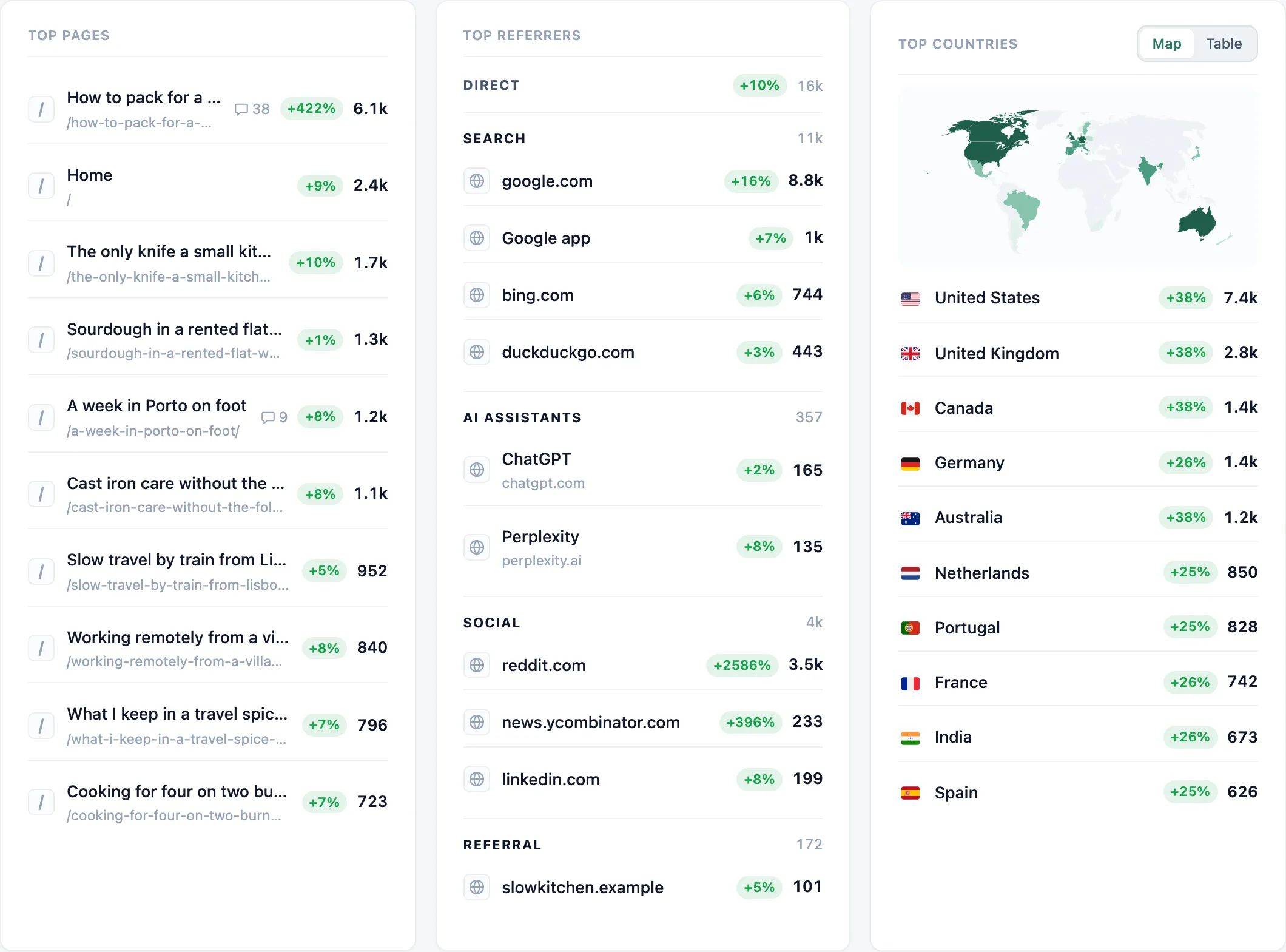
Click a post’s title to open its stats. A page that’s no longer public (a deleted, draft or private post) is shown by its address and marked “(unpublished)”.
All pages
The Pages tab lists every page with traffic in the range, 50 to a page. Search by title or path, and sort by Pageviews, Visitors or Avg. time.
A post’s stats
The stats screen for one post shows:
- Lifetime pageviews and Lifetime visitors, and the Best day it ever had.
- A daily chart of pageviews and visitors for the range you came from.
- Pageviews, visitors and comments in the range, and comments per 1,000 views once the post has at least 100 views in the range.
- Page speed for this post, with a button to test it with Google. See Page speed.
- Where visitors to this post came from: the sites that sent readers to it.
- Searches that found this post, once Search Console is connected.
“← Overview” takes you back.
The Views column
The Posts and Pages lists get a “Views (30d)” column with each post’s pageviews over the last 30 days. Click the column heading to sort by it. Posts with comments show the comment count and, past 100 views, comments per 1,000 views underneath.
Custom post types that show in the admin can be sorted by views too.
Archive and search pages
Archive pages, search results and anything else without a single post appear in Top pages by their address.
When a pageview names a draft, private or scheduled post, Vireo drops the post and keeps only the address, so a post’s title can’t reach the dashboard before it’s published.