
Open it with the “Year in review” link next to the date range on the Overview, and pick the year at the top. The current year is shown as “so far”.
What’s on it
- Pageviews and Visitors for the year, with the change on the year before when there’s a full record of both to compare. Visitors are daily visitors added up, the same as everywhere else in Vireo.
- Busiest month and busiest day.
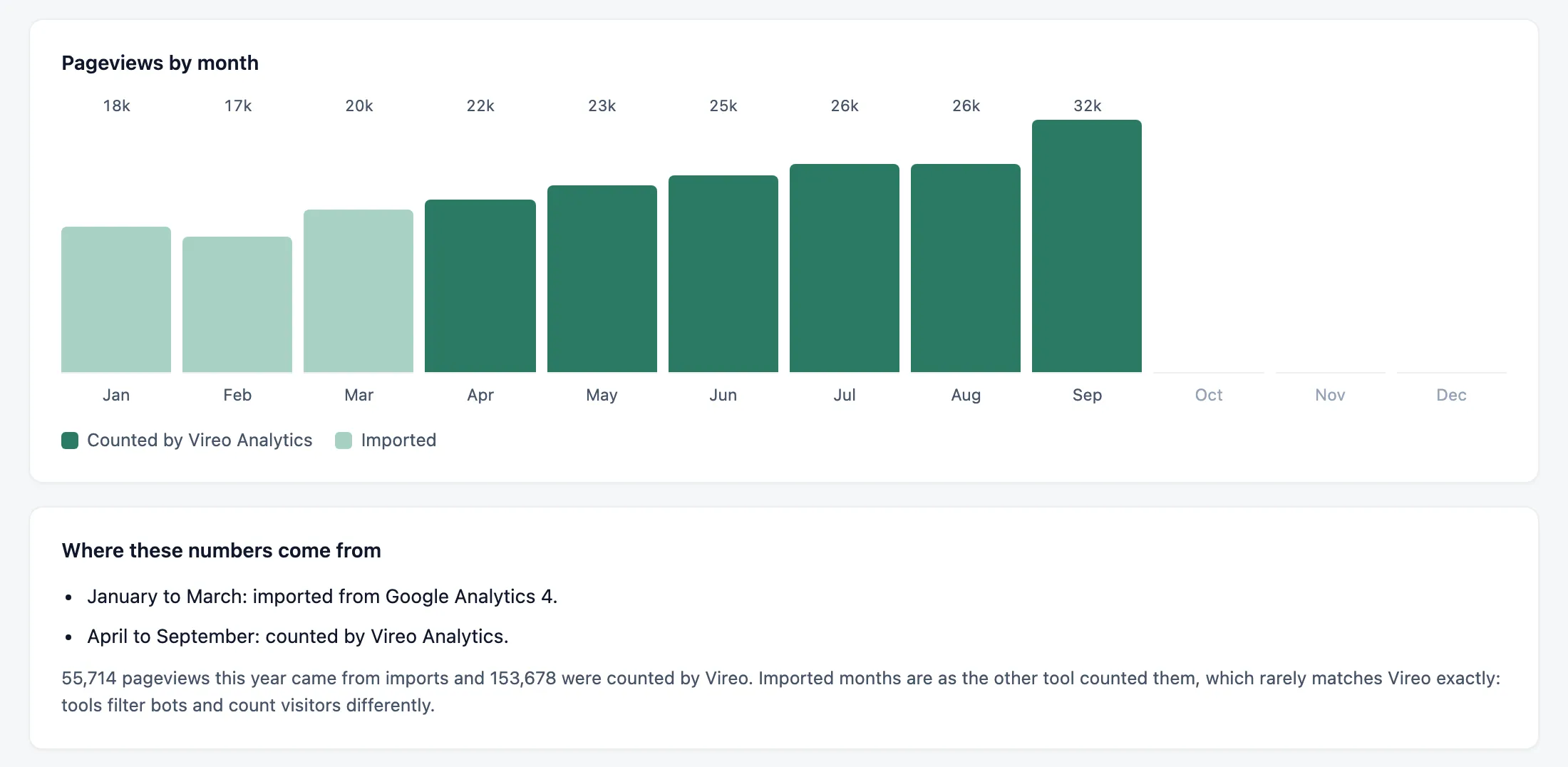
- Pageviews by month. The month in progress is marked “so far”, and months still to come are left blank.
- Top pages, and the posts published that year that were read the most.
- Top countries.
- How people arrived, in pageviews: the split between Direct, Search, AI assistants, Social and Other sites.
- Top Google searches, once Search Console is connected.
- AI assistants: requests from AI crawlers against readers sent back, counted from the day Vireo started counting crawlers. See AI assistants and crawlers.
Imported years
Months you brought in from another tool are marked “Imported” on the chart, apart from the months “Counted by Vireo Analytics”, and “Where these numbers come from” lists which months came from which tool. Another tool counts in its own way, so when part of a year is imported, read the change on the year before as a rough guide.
A year with nothing in it suggests importing your history from the tool you used then. See Importing your history.
Share it
“Copy summary” copies a plain-text version to paste into an email or a post. “Print” prints the page, or saves it as a PDF from your browser’s print dialog.
Weekly highlights
The Overview and the weekly email carry a smaller version every week: up to three things worth knowing about the last seven days, such as your best week so far or a post passing a round number of views. See The Overview tab.