
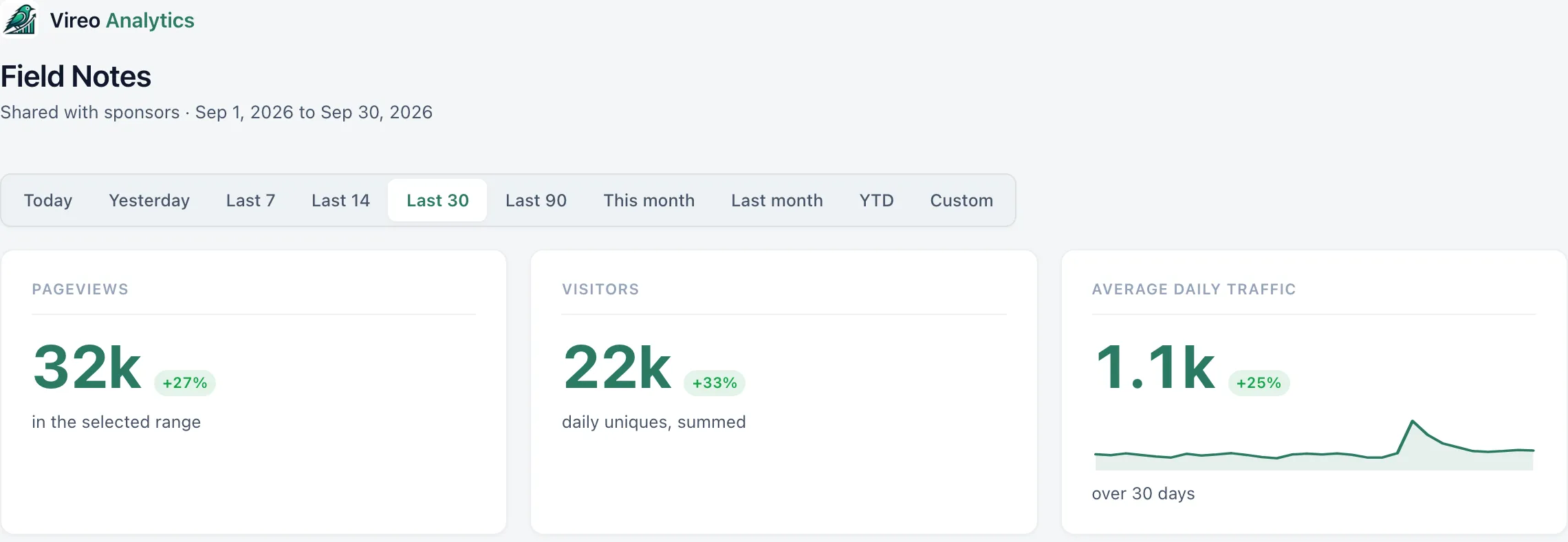
A shared link opens a read-only view of the Overview: traffic totals, the daily chart, top pages, referrers, countries and devices. Nothing else from the dashboard, and no settings or notes.
Create a link
- Open Vireo Analytics, Share.
- Under “New link”, give it a Label of up to 80 characters, such as “Acme monthly report”.
- Optionally set Expires. Access ends at the end of that day.
- Optionally set a Password. Viewers type it once per browser.
- Click “Create link”.
Copy the link straight away. It’s stored hashed, so it can’t be shown again. If you lose it, revoke it and create another.
What the viewer sees
The same date range buttons as your dashboard, including Custom, and the reports listed above. The page says it’s a read-only view and that visitors are counted without cookies or personal data. Search engines are told not to index it.
Manage links
The list shows each link’s Label, when it was Created, when it Expires (or Never), and whether it has a Password.
Click Revoke to cut access at once; anyone holding the link sees nothing. An expired link stops working the same way.
After five wrong passwords in a short time, password checks for that link pause for a while and the list shows it as Locked, with when checks resume. Revoke the link if it isn’t someone you know.
White-label branding
The Share screen has a Branding card between the “New link” form and the list of links. It puts your logo and colour on shared dashboards and on the email reports in place of Vireo’s. The settings apply to every link and email, not one at a time.
- Logo: a URL, or “Choose from media”. It’s shown 32 pixels tall at the top of shared dashboards, the password page and emails. A PNG or SVG with a transparent background works best.
- Accent colour: a hex value such as
#b91c1c. It colours links, the active date range and buttons on shared dashboards, and the button in emails. Left blank, shared dashboards keep Vireo’s green and emails use a dark navy button. - Name: up to 60 characters, shown next to the logo once the Vireo name is hidden. Optional.
- “Hide the Vireo name on shared dashboards and in emails”: removes the Vireo name from the top of shared dashboards and from the email footer.
With the Vireo name hidden and no logo set, the top of a shared dashboard shows only your name, if you’ve entered one. The read-only line at the bottom of shared dashboards is unchanged.